
Featured
Meet AI Insights
Stride now reads every session you do, in incredible depth, and writes you back: plain-English reports on what mattered and what to do next. AI Insights is rolling out now.
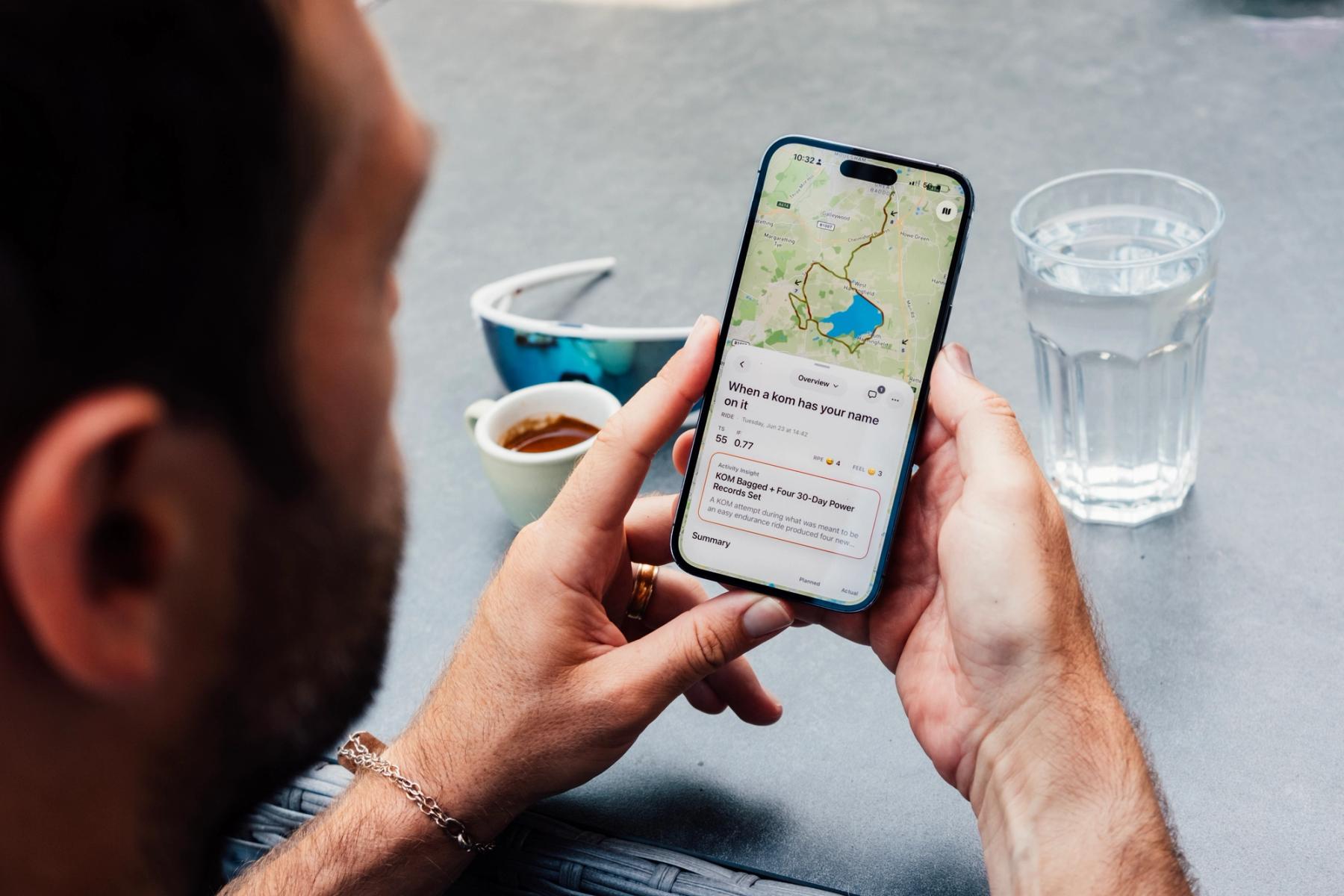
Today, Stride's AI Insights is starting to roll out, and it's the feature we're most excited about.
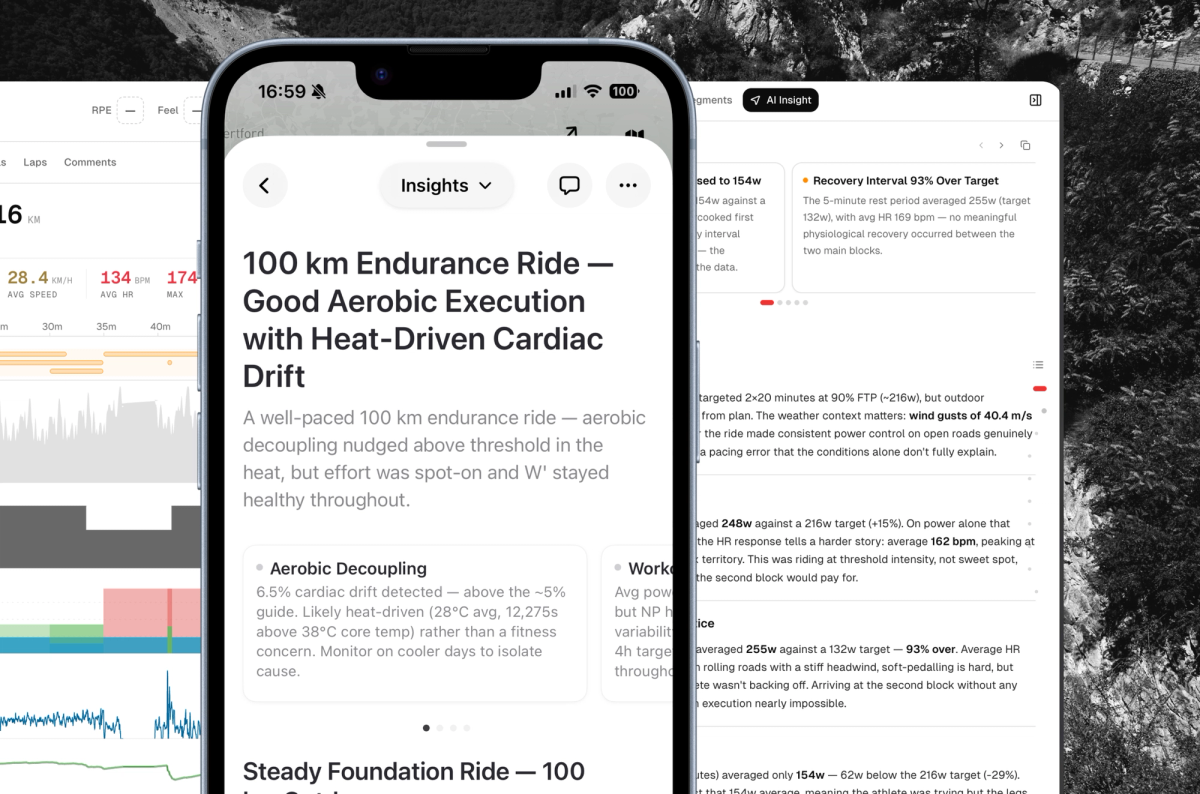
Every session has a story in it. The surge that quietly cost you the back half of the ride. The bad night's sleep holding you back. The trend building underneath weeks of training that all felt the same. Finding that story is what good coaches are paid for, and unless you have one, it mostly goes unread.
Now Stride reads every session you do, in incredible depth, and shows you what matters.
What you'll see
Each insight is a short, plain-English read, written to be finished in a minute or two and never a wall of charts. Every one of them carries:
- A clear summary of what happened, what mattered, and why, with a recommendation when one is needed.
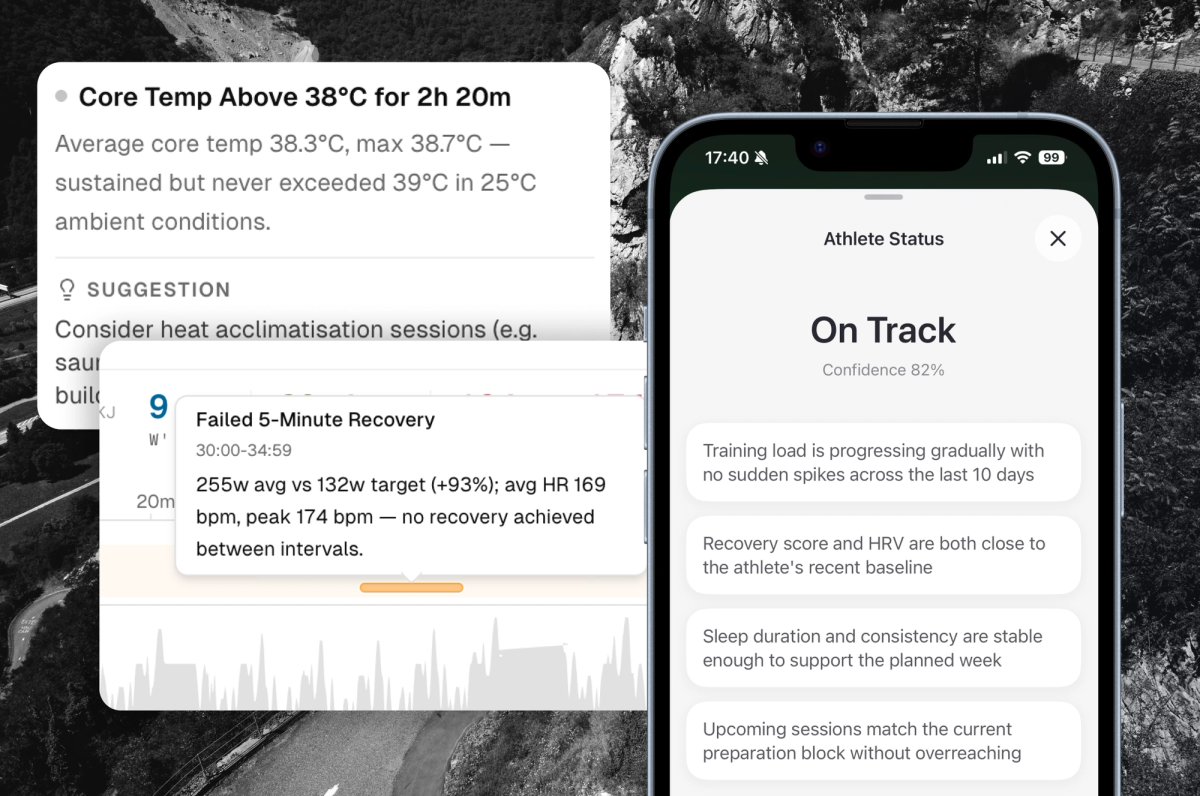
- The moments that count, pinpointed to the exact section of your session and linked straight to your activity graph, so you can see the evidence for yourself rather than take our word for it.
- Sleep, HRV and recovery flags, raised when your body is trying to tell you something before you feel it in the legs.
- Your Load, Fatigue and Form as they move, so you know whether you're building, holding, or quietly digging yourself into a hole.
The four kinds of report
AI Insights isn't a single feature, it's a cadence. Four kinds of report, each doing a different job:
- The first read. When Insights reaches your account, Stride begins by reading your whole history in detail, right back to your first recorded session. It maps out your strengths, your limiters, and the things it's going to keep an eye on from here.
- After every session. A focused report on each ride, run or swim, read against your recent training, your sleep and your recovery. It usually reaches you within the hour. Commutes and very short sessions are left out, so the noise stays out of your insights.
- The Sunday weekly. Your week wrapped up on Sunday evening while it's still fresh: what you actually did, how the load landed, what's trending, and how you're set up for the week ahead.
- The monthly. On the last Sunday of the month the weekly steps aside for the big one: the whole month reviewed, your progression, your recovery patterns, what worked, what didn't, and where the next block should go.
Every one of them lands in the app, in your inbox, and as a notification on your phone, so it reaches you wherever you are.
It reads the evidence, it doesn't guess
An insight is only worth reading if it's grounded in what actually happened, so Stride hands its analysis a genuinely complete picture before it writes a word.
It studies the session itself, your power, heart rate and pace, including normalised power and your peak efforts, then reads it against the wider context: your training load and where your Fatigue and Form sit, your sleep, HRV, resting heart rate and recovery, your FTP, critical power and W', and the events you're building towards. Just as importantly, it reads what only you can tell it, the note you leave about how the session felt and the effort you give it.
That's why it deals in moments rather than averages. When it flags a surge or a fade, it can point you to the exact stretch of the session it's talking about and link it to your graph, so the evidence is right there in front of you.
How it works
There's nothing to set up. If your devices are already connected, you're done. Carry on training the way you always have.
When a session syncs, Stride deliberately waits about five minutes before it starts reading. That short pause is your window to add a note on how it felt, because it will read that too. It then analyses the session against your recent training, sleep and recovery, and writes its report.
It's a considered read of your whole picture, not an instant hot take, and that short wait is exactly what makes it worth reading.
Help it know you
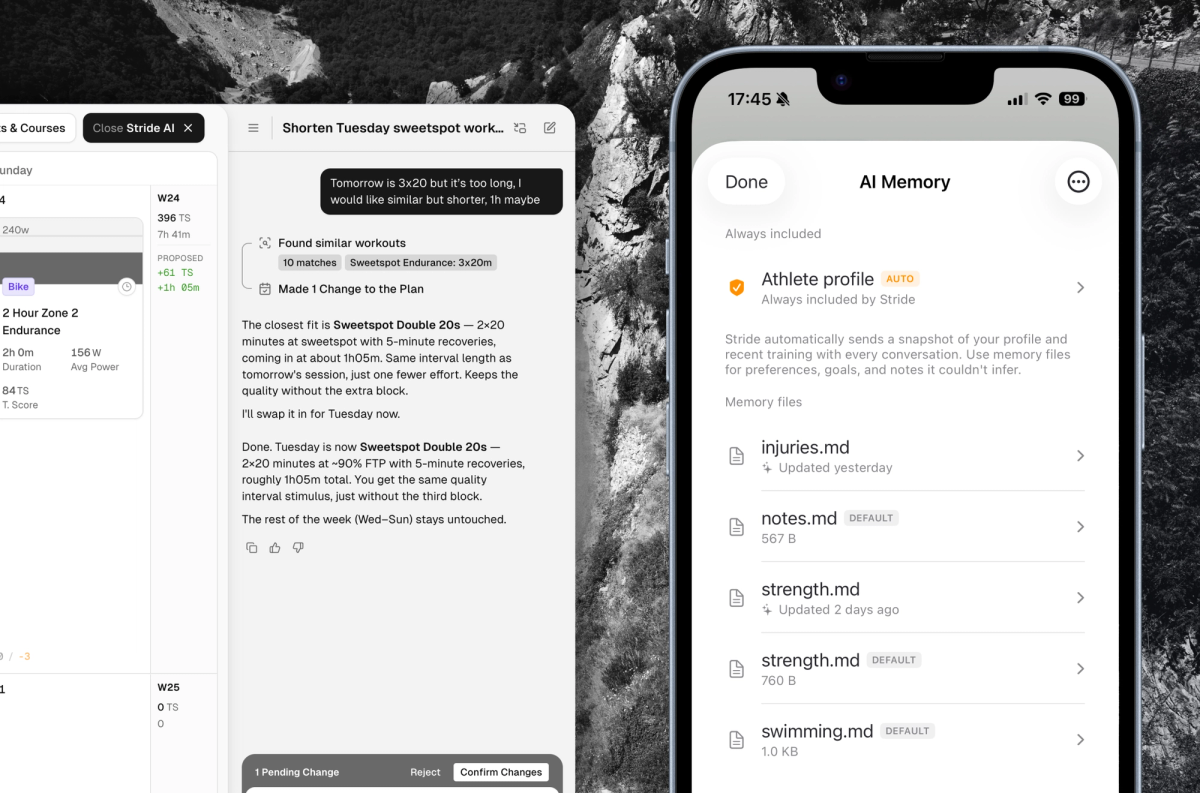
Before it writes anything, Stride reads a private memory it keeps for your AI: a short set of notes about you and how you train. Some of it builds up on its own as you log sessions, but the fastest way to sharpen your insights is to tell it the things your data can't show:
- What you're training for, and when it is (if it isn't already in your calendar).
- Injuries or niggles you're managing around.
- How much time you actually have to train.
- Anything else you'd tell a coach in the first five minutes.
You can read and edit your memory in the app whenever you like, and the more it knows, the more specific your insights become.
If you train with a coach
Coaches see this too. Alongside every athlete's insights, Stride keeps a running read on how each one is doing and flags anyone who needs a closer look, whether that's low recovery, a possible illness or injury risk, or simply a week that has drifted off track. Weekly and monthly digests bring the whole roster together in one place.
Coaches can also add notes straight to an athlete's memory, so the insights are written with the context only the coach has. If you coach, ask us about the new coaching centre.
What's coming next
Insights are the foundation. Here's what we're building on top of them:
- Automated planning. When an insight concludes your plan should change, Stride will propose the change itself. If you're coached, it goes to your coach to help guide them. If you're self-coached, it comes straight to you.
- Daily insights. A read on your health metrics, sleep and recovery every morning, not only on the days you train.
- Breakthroughs. Breakthrough rides, personal bests and race results flagged the moment they happen, and kept so your history tells the full story.
- Share to Strava. Post a short AI summary of your session to your Strava followers, straight from your activity.
- Commute detection. Stride will learn to recognise your commutes and treat them as commutes, so the ride to work doesn't muddy your load, your form, or what your insights read into your training.
The rollout
We're switching AI Insights on gradually over the coming weeks rather than all at once. It's a big feature, and we want every single insight to be worth your time. It's rolling out to everyone on a trial or a paid plan, and there's nothing you need to do: when it reaches your account, your first insight will simply turn up after a session.
Particularly keen to try it? Get in touch and we'll move you up the list.