
Power Curves and Profiles
Your dashboard includes two charts that show your power output across different durations: the Power Curve and the Power Profile. Together, they help you understand your strengths, weaknesses, and how your performance is changing.
The Power Curve#
The Power Curve shows your best power output at every duration, from short sprints to sustained endurance efforts. For each duration (e.g. 5 seconds, 1 minute, 5 minutes, 20 minutes), it shows the highest average power you have achieved across all your activities within the selected time range.
Hover over any point on the curve to see the exact power, the duration, and the activity it came from.
Comparing Time Periods#
If you have set a comparison range using the date range picker, a second curve is displayed. This lets you see exactly where you have improved or regressed. For example, you might see higher power at short durations but lower power at longer durations compared to last year, showing a shift in your training focus.
The Power Profile#
The Power Profile is a radar (spider) chart that plots your best power at key durations (5 seconds, 15 seconds, 30 seconds, 1 minute, 2 minutes, 5 minutes, 10 minutes, 15 minutes, 20 minutes, 30 minutes, 45 minutes, and 1 hour) in watts per kilogram.
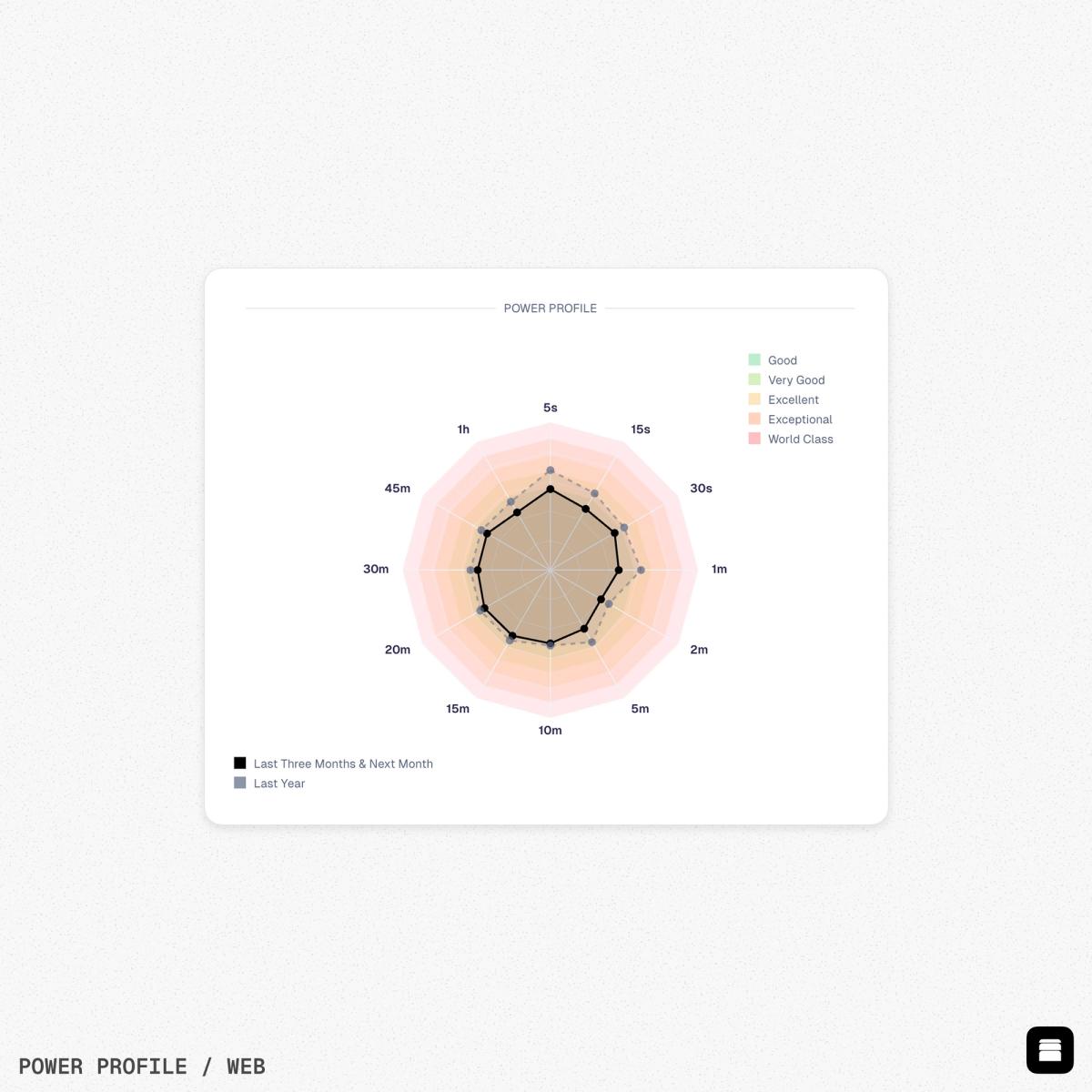
Your data is plotted against standard power classifications based on the Coggan power profiling system:
- Good - Solid recreational level
- Very Good - Strong amateur
- Excellent - Competitive amateur
- Exceptional - Elite amateur or domestic professional
- World Class - Professional level
These classifications are shown as coloured bands on the chart, so you can see at a glance where your strengths lie.
Reading Your Profile#
The shape of your radar chart tells you what type of rider you are:
- Sprinter - Higher values on the left side (5s, 15s, 30s) compared to the right (20m, 30m, 1h).
- Time triallist - Higher values on the right side (20m, 30m, 1h) compared to the left.
- All-rounder - A fairly even shape across all durations.
Like the Power Curve, the Power Profile supports comparison ranges. If set, the comparison period appears as a dashed line so you can track how your profile has changed.
Heart Rate Curve#
The Heart Rate Curve works the same way as the Power Curve but shows your peak sustained heart rate at each duration. This is useful for athletes who train primarily by heart rate rather than power, or for running and swimming where power data may not be available.
Weight required
The Power Profile chart requires your weight to calculate watts per kilogram. Make sure your weight is up to date in your account settings or recorded by a connected device.