
Power Metrics (FTP, CP, and W')
Stride tracks three key power metrics that describe your cycling ability at different effort levels. These are displayed as stat cards on your dashboard and tracked over time in the FTP History graph.
Functional Threshold Power (FTP)#
FTP is the highest average power you can sustain for approximately one hour. It is measured in watts and is one of the most widely used metrics in cycling. Your FTP is used to calculate your power training zones and your power-to-weight ratio (W/kg).
Stride estimates your FTP automatically from your activities. When you complete a ride with sustained hard efforts, Stride analyses the data and may update your FTP if the evidence supports a change. You can also set your FTP manually in your account settings.
Critical Power (CP)#
Critical Power is the theoretical power you can maintain indefinitely. It represents the boundary between heavy and severe exercise domains. While similar to FTP, CP is derived from a mathematical model rather than a single time-trial effort, and is typically slightly lower than FTP.
On the dashboard stat card, you can toggle between FTP and CP to see whichever metric you prefer.
W' (W Prime)#
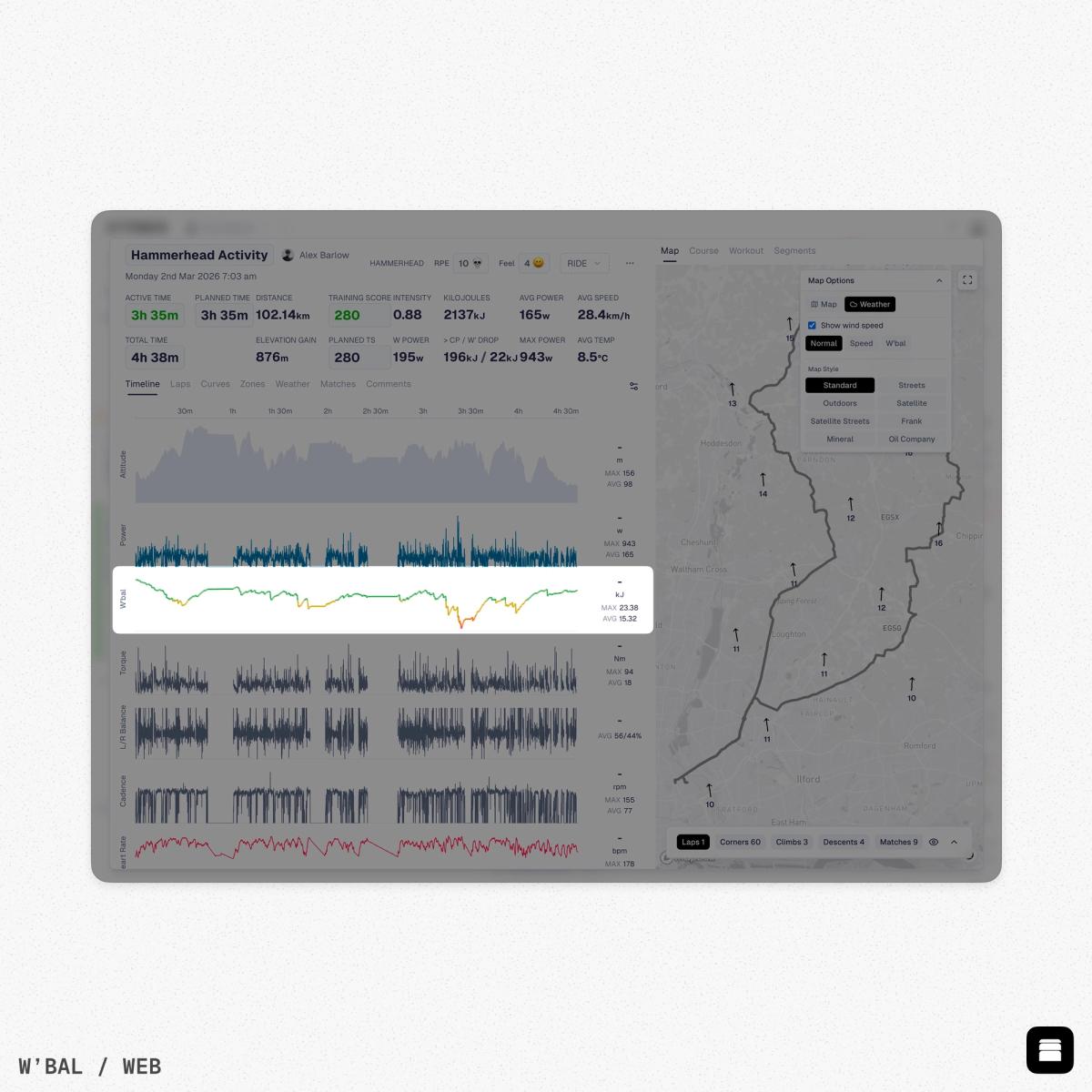
W' (pronounced "W prime") represents your anaerobic work capacity - the total amount of work you can do above your Critical Power before exhaustion. It is measured in kilojoules (kJ).
Think of W' as a battery that drains when you ride above CP and recharges when you ride below it. A larger W' means you can handle more high-intensity work before needing to ease off. This is particularly relevant for racing, sprinting, and interval training.
Pace Metrics#
For running and swimming, Stride tracks your threshold pace - the pace you can sustain for approximately one hour. These are displayed as separate stat cards on your dashboard:
- Running Pace - Your threshold running pace, shown as minutes per kilometre.
- Swimming Pace - Your threshold swimming pace, estimated from your swim activities.
Like FTP, these pace metrics are estimated automatically from your activities and are used to calculate your training zones for running and swimming.
Threshold Heart Rate#
Your threshold heart rate (THR) is the heart rate at your anaerobic threshold. This is used alongside power and pace to calculate heart rate training zones. Stride estimates it from your activities and tracks it over time in the THR History graph on your dashboard.
FTP and THR History#
Both FTP and THR have dedicated history graphs on your dashboard that track how these metrics have changed over time. Each data point shows when a change occurred, its source (activity analysis or manual update), and the activity that triggered it. This makes it easy to see long-term trends in your performance.
HRV and Recovery#
Heart Rate Variability (HRV) measures the variation in time between heartbeats. Higher values generally indicate better recovery and readiness to train. The HRV stat card shows today's value with a recovery percentage, while the HRV Trend graph shows a 3-day moving average to smooth out daily variation.
You will need an HRV-compatible device connected to see HRV data. See Connecting Your Devices for supported devices.
Automatic updates
Stride estimates FTP, CP, W', threshold paces, and threshold heart rate automatically from your activities. You do not need to perform specific tests, though dedicated efforts will produce more accurate estimates.