
Tell the AI About Your Schedule
Tell it Your Schedule#
Before you use the AI it’s a good idea to input events, holidays, notes, upcoming races, and any constraints you have for the calendar for the AI to build on.
Explain race priority#
You can be very specific here, include race distance, type, goals etc (you can put that its the Mallorca 312 and it will know what this is.) If you know the course, profile or any key information you should also leave this in the comments on the event.
Example: I have a road race, it will be a hill course wit sharp punchy sections where I will have to do repeated max efforts.
Add races and key events#
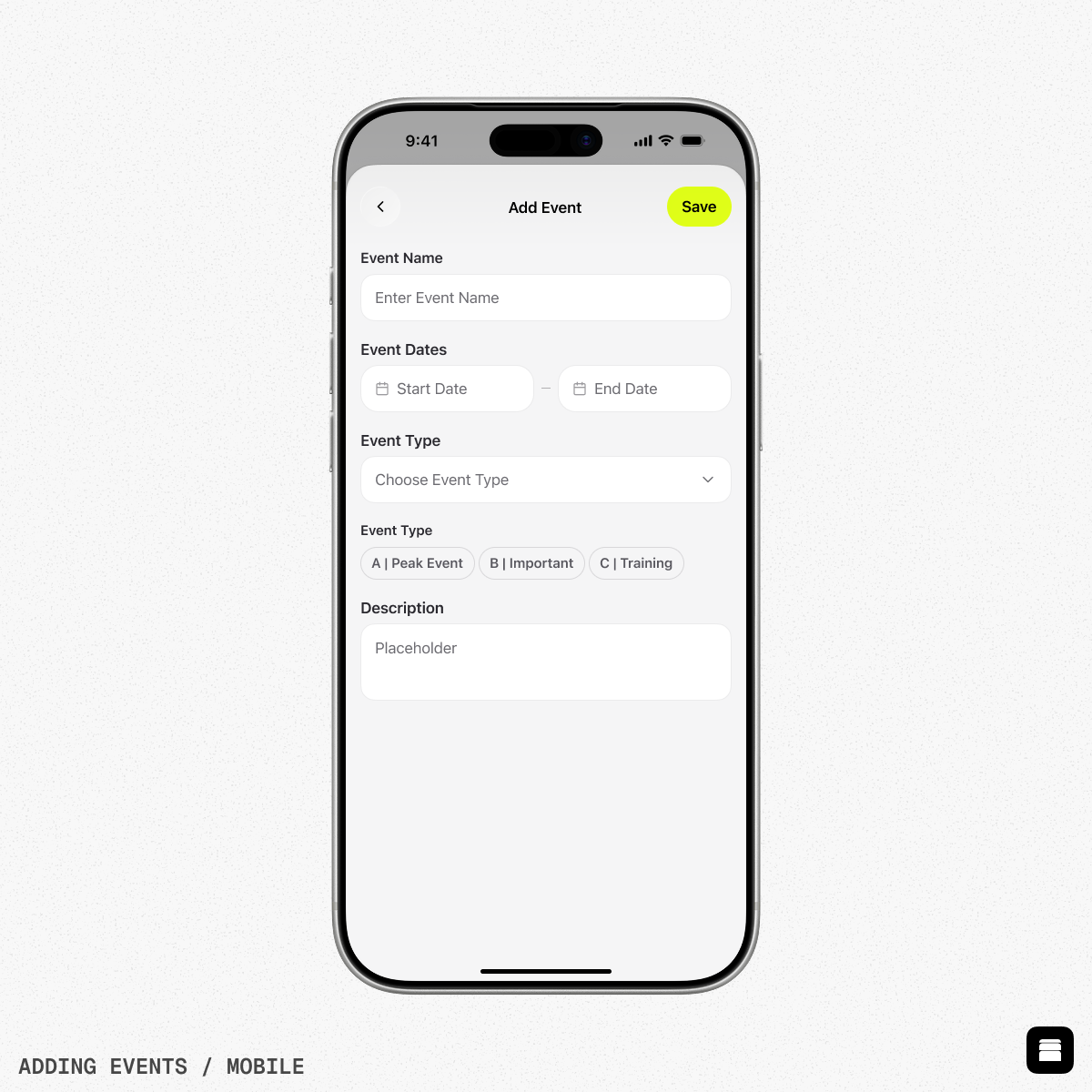
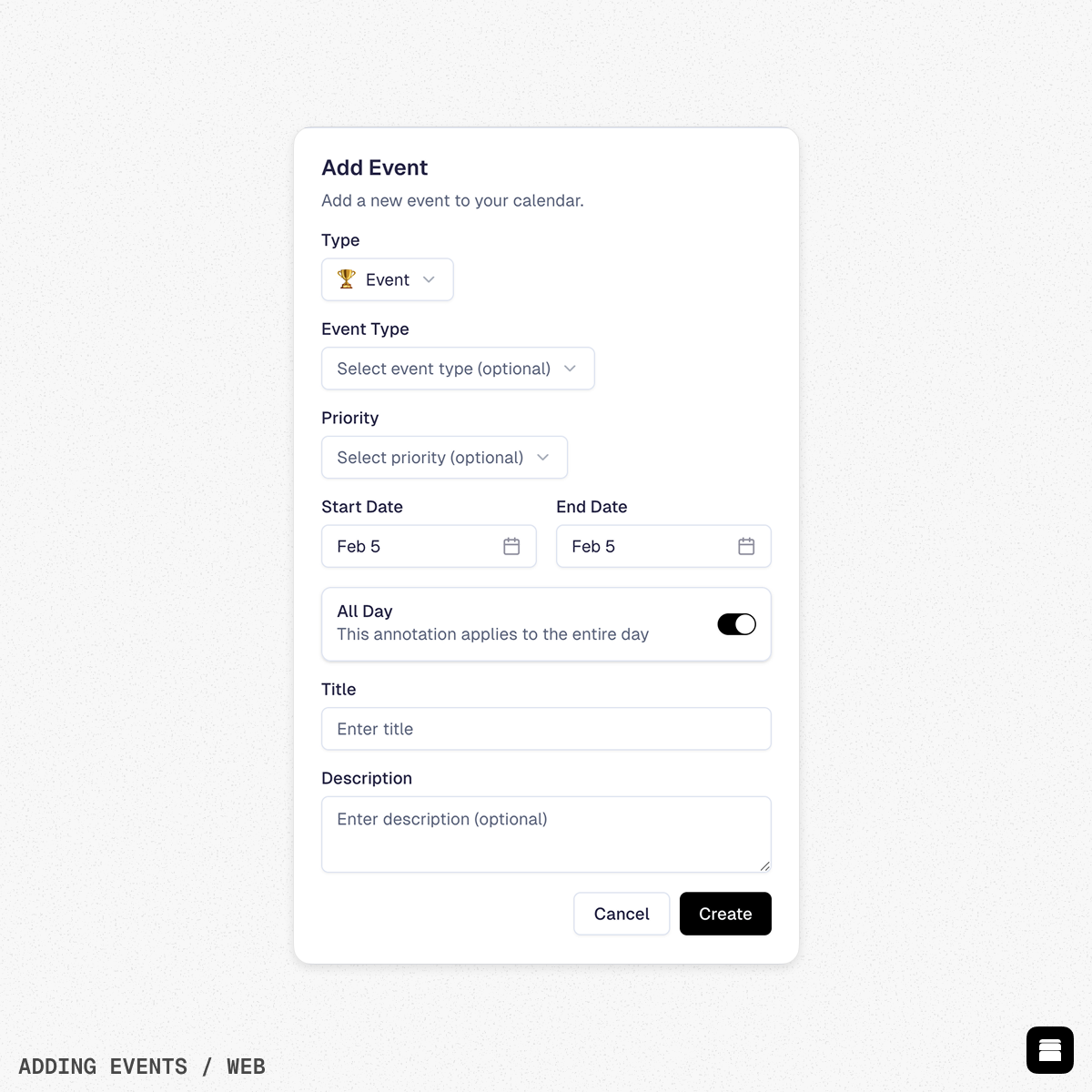
Next, add your upcoming events and races so Stride AI can build backwards from those dates and structure your build and taper.
- Choose Event and select the event type (e.g. Road Race, Gravel, Time Trial, Running Marathon) that best matches what you are targeting.
- Include the correct date range and any extra notes such as course profile, expected duration, or terrain to help Stride AI shape event‑specific preparation.
Set race priority#
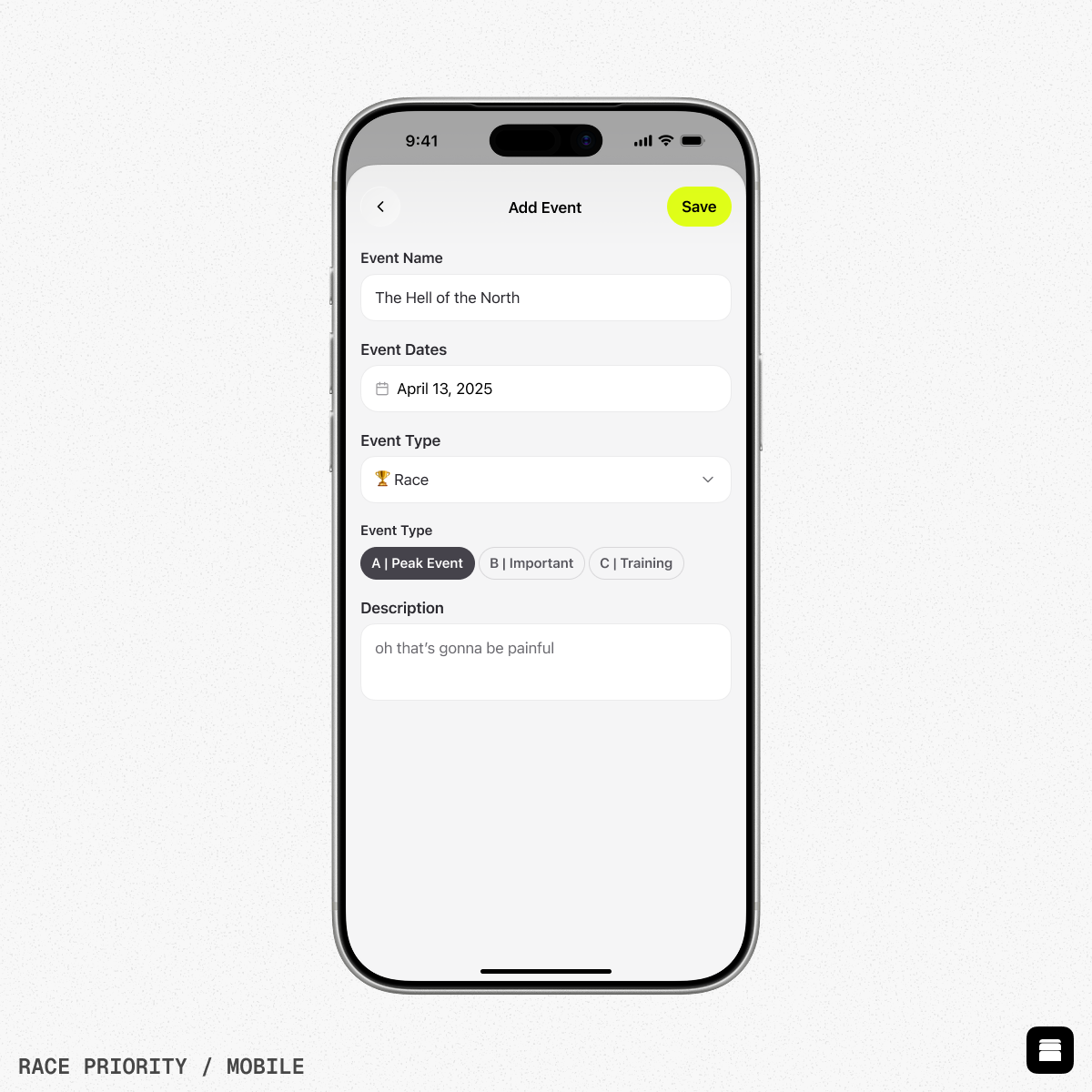
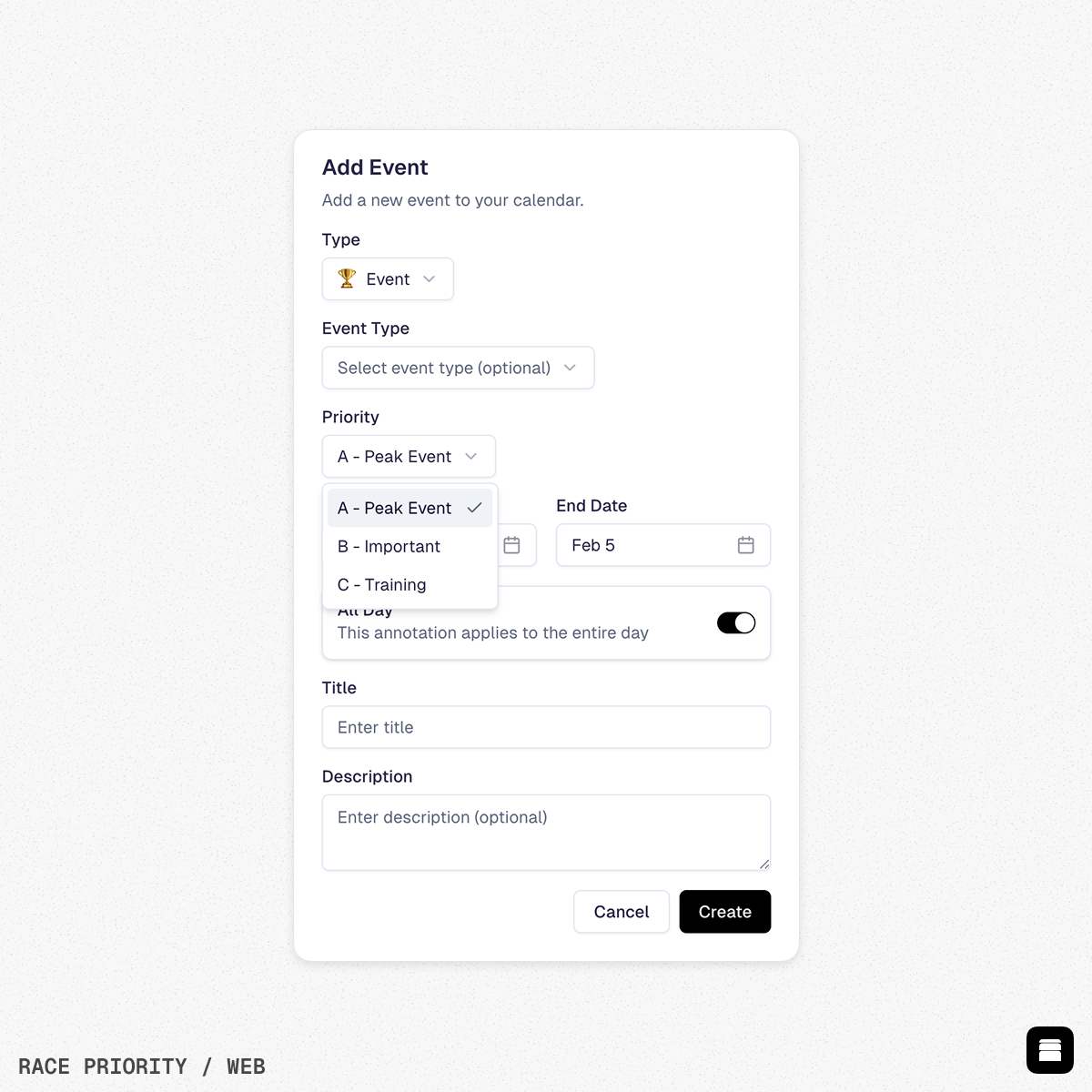
Not every event should be treated the same, so each event can be assigned a priority.
- Use A – Peak Event for your main goal(s) of the season where you want to be at your absolute best; Stride AI will center your macro‑cycle and taper around these.
- Use B – Important and C – Training for tune‑up races or low‑stakes events so Stride AI can maintain progression without over‑tapering.
Add vacations and holidays#
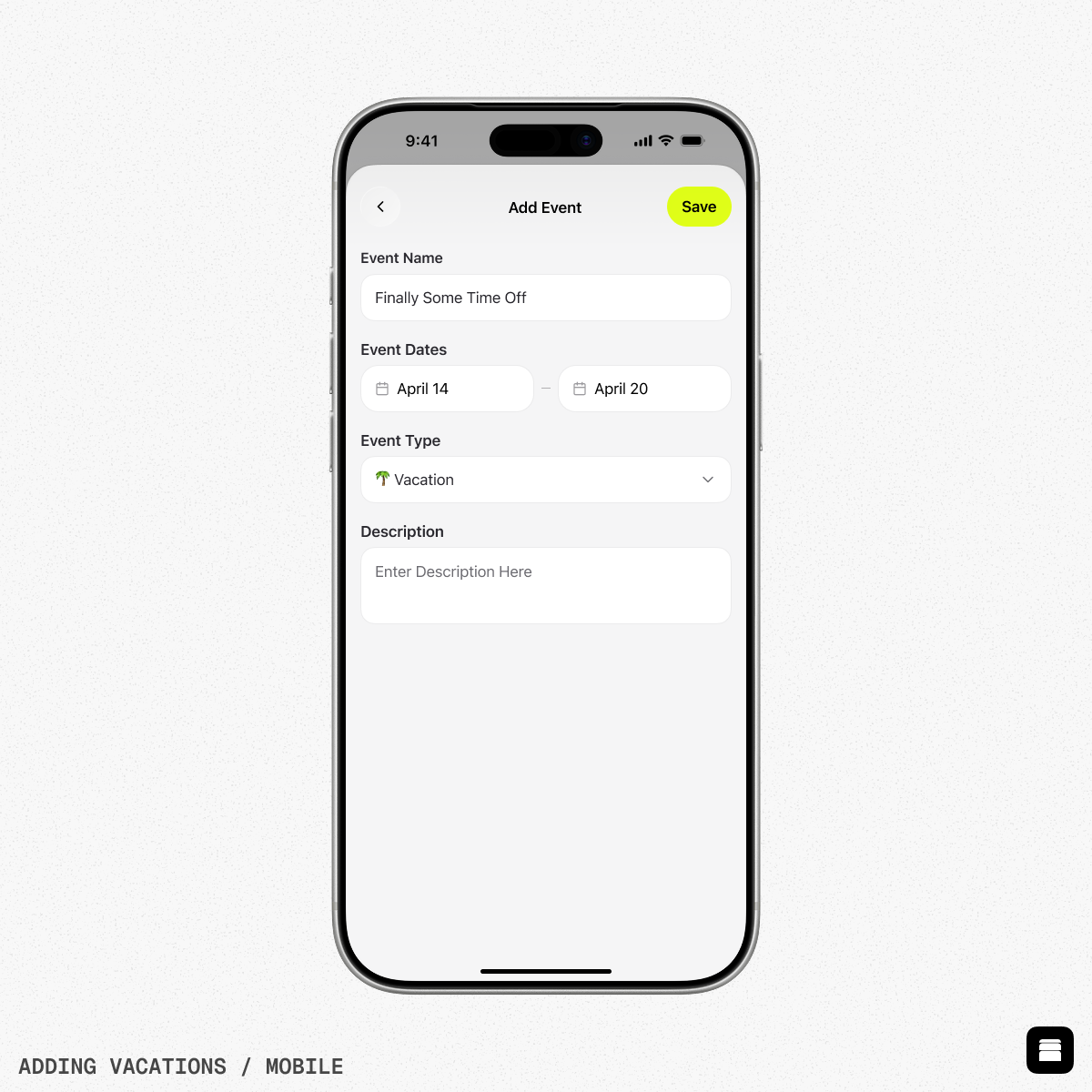
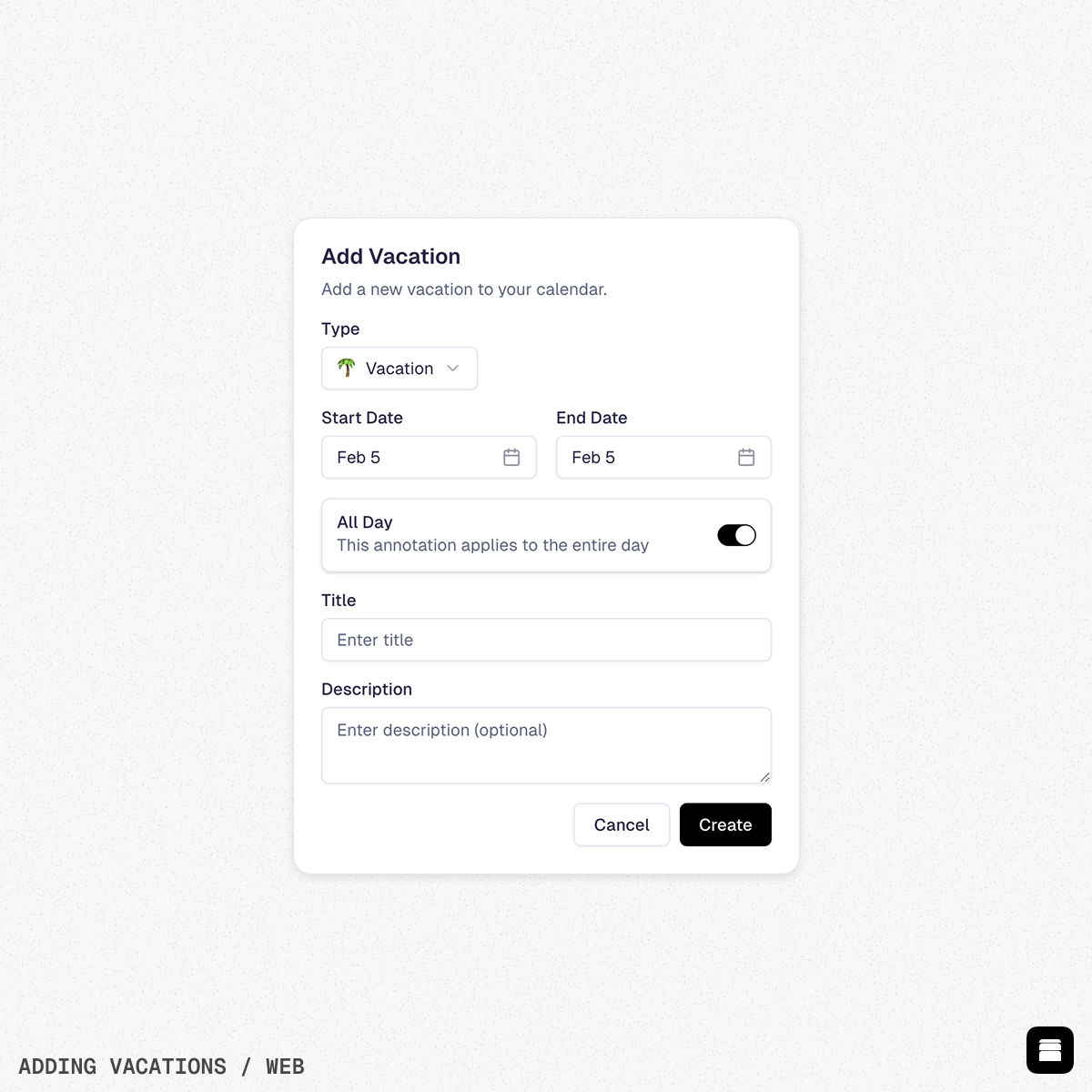
Before using Stride AI, add any known time off such as vacations, work trips, or family commitments to your calendar.
- Use the Vacation type for days or weeks when training will be limited or impossible, and set the correct start and end dates.
- Add a clear title and optional description (e.g. “Work trip, no bike” or “Family holiday, short rides only”) so Stride AI knows how much to reduce or adapt training
Doing this allows our AI to leave you alone but learn from your activities, sleep data and fatigue whilst away. An example; helping you back after loosing a bit of fitness from time off on the beach. When you come back, you wont have the hard workouts that are planned and Stride AI will adapt to get you back into the flow, out of the red and into the green.
Add detailed notes and goals#
You can be very specific with event details so Stride AI understands exactly what you are preparing for.
- In the title and description fields, include race distance, type, time or power goals, and even the exact event name (for example, “Mallorca 312, sub‑13 hours, focus on durability and endurance”) so Stride AI can recognise the event and tailor training accordingly.
Final checks before using Stride AI#
Once your events, holidays, and notes are in place, your calendar becomes a clear blueprint of your season that Stride AI can build on. This upfront setup ensures that every recommendation respects your time, priorities, and real‑world constraints while keeping you focused on the races and goals that matter most.